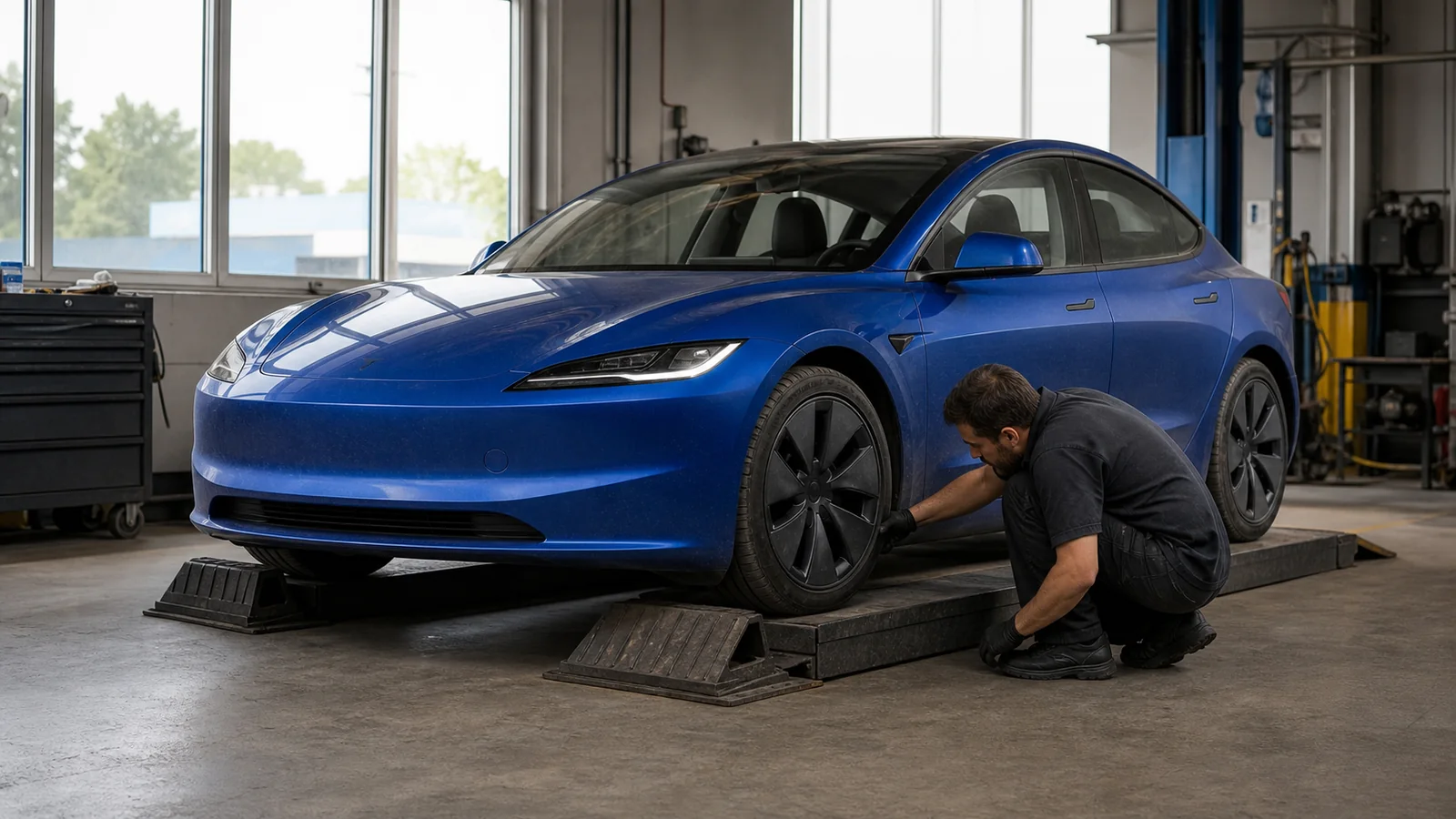
What years of the Tesla Model 3 should you avoid?
No single Model 3 year is a guaranteed bad buy, so the real answer is about build era and battery health rather than a bad engine.
Inspect 2018 and 2019 cars most closely, because early-build variation lines up with the front-suspension and rear-camera campaigns.
Treat 2020 and 2021 as conditional buys when heat-pump, camera, or charging records are unclear, and target a documented 2022 or 2023 when battery health, tires, cameras, and repair history are all clean.
Buy the individual battery, build, and repair record, not a model-year reputation.
The Model 3 changed quickly after deliveries began. Early rear-wheel-drive and Long Range cars do not share every battery, processor, heat-pump, suspension, or low-voltage component with later examples.
A year label narrows the search, but the build date and configuration finish the identification.
CarComplaints names 2019 its worst Model 3 year, but the site lists only nine submitted complaints for that year.
That sample is too small to estimate a failure rate. It is still useful because three reports concern suspension and the most-reported issue is a front-wheel creak.
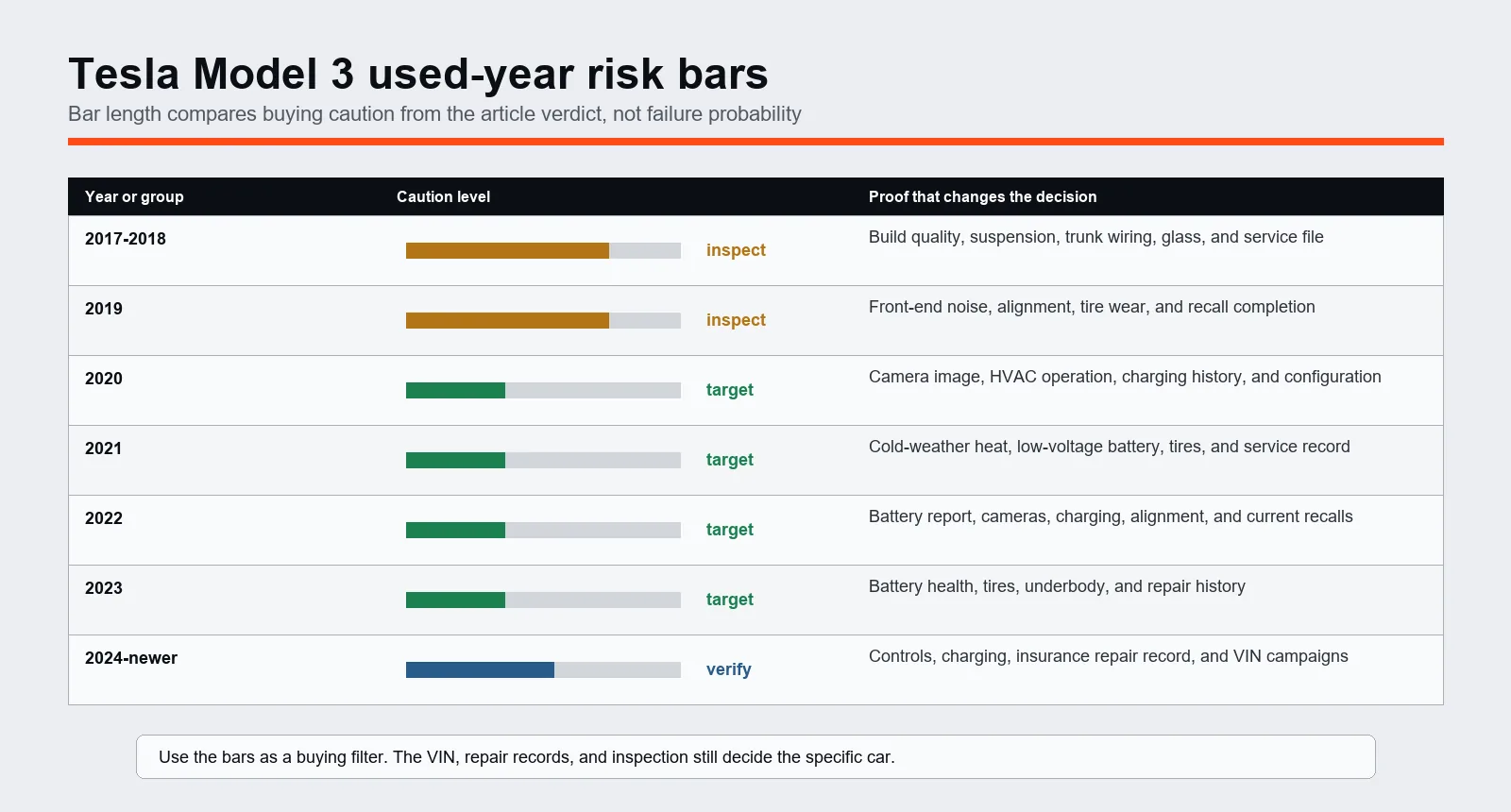
| Model year | Starting verdict | Evidence that changes the choice | Required check |
|---|---|---|---|
| 2017-2018 | Inspect closely | Earliest production plus rear-camera harness campaign | Build quality, suspension, trunk wiring, glass, and service file |
| 2019 | Inspect most closely | CarComplaints' highest submitted total and lateral-link recall exposure | Front-end noise, alignment, tire wear, and recall completion |
| 2020 | Conditional buy | Camera harness plus early heat-pump and charging checks on applicable builds | Camera image, HVAC operation, charging history, and configuration |
| 2021 | Conditional buy | Heat-pump sensor campaign and mixed battery or processor hardware | Cold-weather heat, low-voltage battery, tires, and service record |
| 2022 | Consider | Later production, but software, glass, tire, and collision checks remain | Battery report, cameras, charging, alignment, and current recalls |
| 2023 | Target by condition | Mature pre-refresh production with fewer early-hardware concerns | Battery health, tires, underbody, and repair history |
| 2024-newer | Consider, history still short | Updated cabin and controls with less long-term evidence | Controls, charging, insurance repair record, and VIN campaigns |
Complaint totals and recall populations answer different questions. A recall defines a VIN group and remedy.
A complaint pattern tells you where to look.
Neither source replaces a battery report and physical inspection on the car for sale.
Why 2018 and 2019 need the closest suspension check
Certain 2018 and 2019 Model 3 vehicles were recalled because fasteners securing the front suspension lateral link to the subframe may have been improperly tightened. Tesla's recall notice explains that a fastener can loosen or separate, allowing the link to separate from the subframe.
The recall does not mean every front-end creak is a loose lateral link. Upper control-arm joints, bushings, brakes, wheel covers, tires, and collision repairs can create different noises.
A useful inspection identifies the source before pricing the repair.
Start on smooth pavement, then add a slow parking-lot turn, a driveway ramp, broken pavement, and moderate braking.
Listen for creaks, knocks, or a steering change. Check whether the wheel returns smoothly to center and whether the car tracks straight without constant correction.
CarComplaints lists three submitted suspension problems for 2019 and an average reported $1,000 repair for the leading front-wheel creak. These are owner submissions, not a price quote for the car you are inspecting.
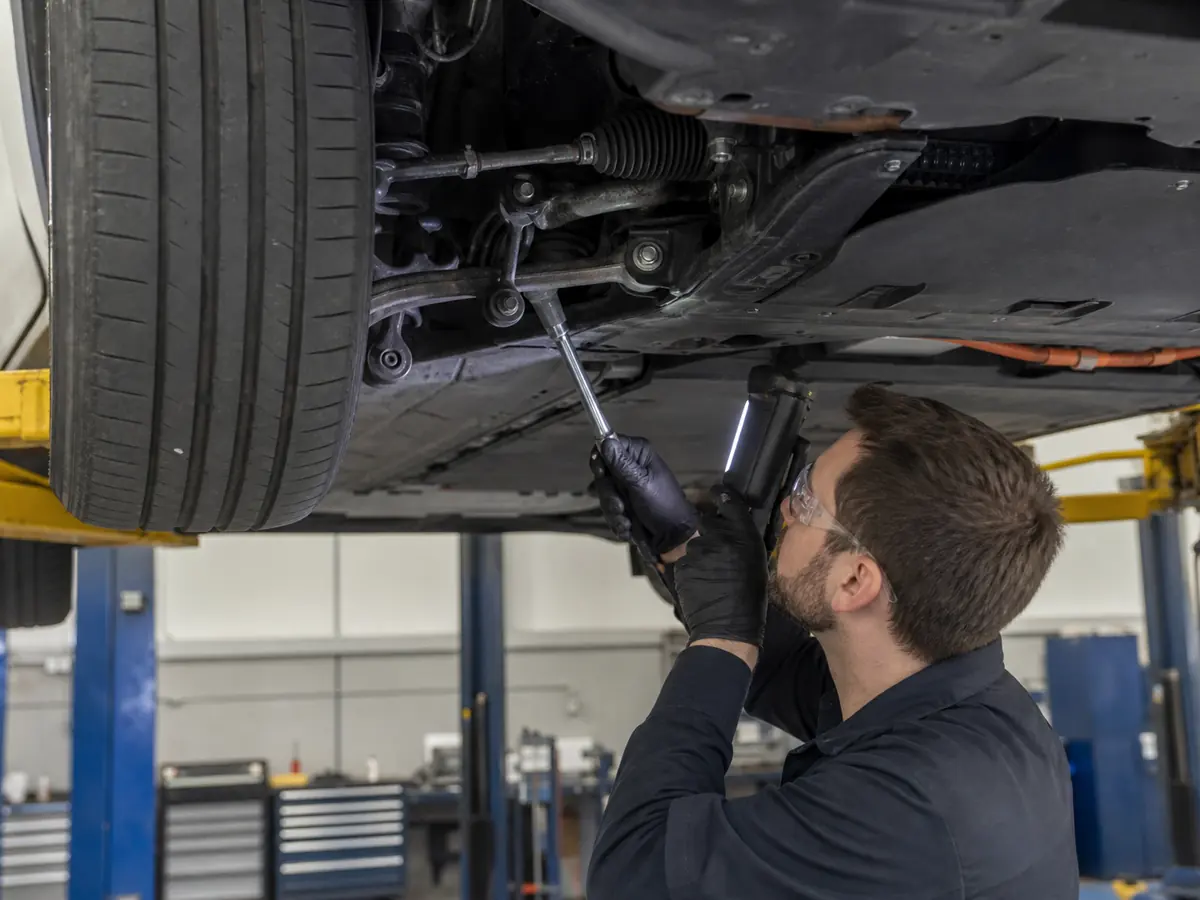
Inspect both front tires across the tread. Inner-edge wear can hide behind the wheel face and may expose alignment trouble or neglected rotation.
Reject a car with unstable steering or unexplained rapid tire wear until a shop names the cause.
Do all Model 3s have the rear-camera recall?
NHTSA campaign 21V-00D covers all 2017 through 2020 Model 3 vehicles in a population of 356,309. The NHTSA acknowledgement states that opening and closing the trunk can damage the rear-camera cable harness and prevent the image from displaying.
Tesla's remedy inspects the harness, installs a guide protector, and replaces the cable when needed. A functioning camera during one reverse shift does not prove the harness received the retrofit.
Intermittent loss can appear only at a particular trunk position or after repeated movement.
Test the system in sequence:
- Confirm campaign completion against the full VIN
- Open and close the trunk several times
- Shift to Reverse safely after each cycle
- Watch for a black, delayed, flickering, or distorted image
- Inspect the hinge-area harness for poor routing or nonfactory repair
The trunk should also stay open, latch cleanly, and remain dry around the seal and lower well. Collision work near the rear body can change harness routing even after the recall was completed.
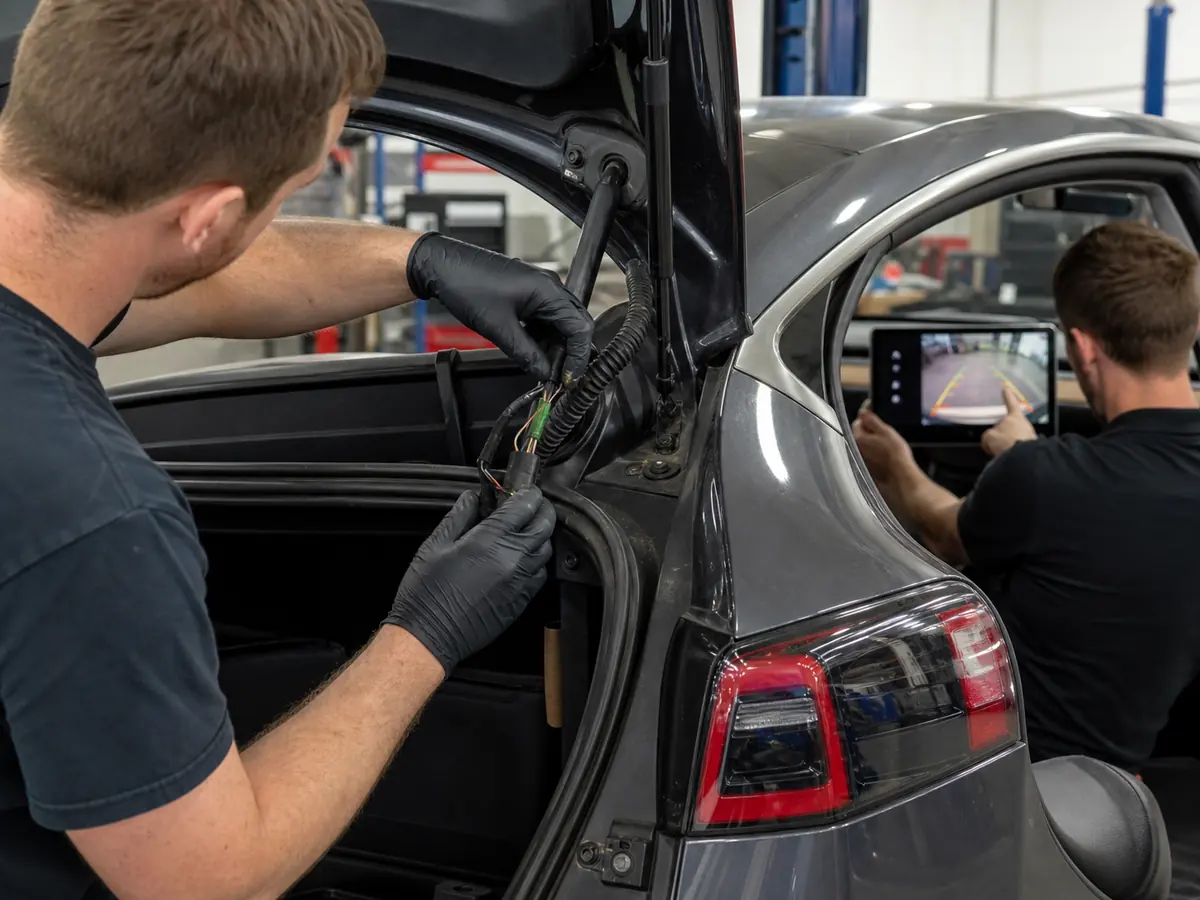
Do not accept an intermittent rear camera as a software quirk. The safety campaign identifies a physical cable-wear mechanism on these years.
Which Model 3 years have the heat pump, and how do you test it?
Tesla added a heat pump during the Model 3's running changes, so the model year alone does not prove which HVAC hardware is fitted. The system improves cold-weather efficiency, but cabin heat still needs a real test.
Tesla bulletin SB-21-18-002 covers certain 2020 and 2021 Model 3 and Model Y vehicles whose three refrigerant pressure and temperature sensors can fault over time. The correction replaces all three sensors on applicable cars.
Run the HVAC from a cold cabin. Request heat, note how quickly warm air arrives, then change temperature and fan settings.
Listen for abnormal compressor noise and scan the thermal-management system for stored faults.
A seller may demonstrate heat after preconditioning while the car is plugged in. That proves less than a cold unplugged start followed by a normal drive.
Ask whether the sensor campaign, compressor, supermanifold, or refrigerant circuit received service.
Evidence by Model 3 system
- Heat pump
- Cold cabin test, thermal faults, sensor campaign, and repair invoice
- Resistance heat
- Cabin output, electrical faults, and energy use during test
- Low-voltage battery
- Replacement date, warning history, and sleep behavior
- High-voltage battery
- State-of-health evidence, charging history, and warranty status
A low-voltage battery warning can prevent normal wake-up and accessory operation even when the traction battery is charged.
Confirm its age and chemistry because later cars may use a different low-voltage design.
Weak cabin heat or repeated thermal faults need diagnosis before purchase.
How do you check a used Model 3's battery health?
Displayed range changes with software, battery calibration, wheel selection, temperature, recent driving, and state of charge. One screen number cannot separate normal degradation from imbalance, calibration drift, or a charging fault.
Ask for service-mode battery information when available, charging records, and any high-voltage repair invoices. Confirm the original battery and drive-unit warranty terms for the exact trim and first-use date.
Salvage history, commercial use, and prior battery replacement can change coverage.
A useful test includes home-style AC charging and a DC fast-charge session when practical. Confirm that the charge port opens, the connector locks, charging begins without repeated faults, and the car sustains a plausible rate after battery temperature and state of charge are considered.
Check the underside before charging. Scrapes on aero shields are common, but a hard impact near the battery enclosure, missing fasteners, fresh sealant, or a crushed lift point needs specialist review.
Use this evidence order:
- VIN, build date, trim, wheel size, and battery type
- Warranty start date and remaining battery coverage
- High-voltage and low-voltage service history
- AC and DC charging behavior
- Underbody and lift-point condition
- Energy use during a repeatable road test
The EV charging basics help separate a car fault from a weak charger or cold battery. The electric-car field shows why battery size and charging curve matter more than one advertised range figure.
Buy only when charging, service history, and physical battery protection tell the same story.
Collision repairs can affect cameras, glass, and tire cost
Model 3 body and glass repairs can be expensive because cameras, sensors, bonded glass, paint, and aluminum components need correct procedures. A clean vehicle-history report does not prove every repair was reported.
Inspect panel gaps in consistent light. Compare paint texture, fasteners, glass dates, lamp alignment, trunk floor, and underbody shields.
Run every camera view and note any unavailable or blurred feed.
Driver-assistance calibration errors deserve a named diagnosis.
The large glass roof needs chips, edge damage, distortion, and seal checks. CarComplaints' 2018 page contains only two submissions, including one roof-glass crack with a reported $1,200 repair.
One report cannot condemn a year, but it shows why glass belongs in the price calculation.
Tires often reveal the hidden cost first. Instant torque, heavy curb weight, poor alignment, and large wheels can shorten tread life.
Record brand, model, size, load rating, date code, and tread depth at all four corners.
The tire-pressure check should use the door-label figure, not a number copied from another trim. Compare the Model 3 with the Hyundai Ioniq 5 when ride comfort and tire sidewall matter more than sedan efficiency.
Why 2022 and 2023 are cleaner starting points
A documented 2022 or 2023 Model 3 avoids the earliest build period and the 2017 through 2020 trunk-harness population. These years can still carry software campaigns, glass damage, worn tires, collision repairs, charging faults, or configuration-specific service needs.
The advantage is a shorter high-cost checklist. Later production benefited from years of manufacturing revisions, and 2023 sits before the 2024 refresh changed cabin controls and body details.
The Tesla model range helps compare the sedan with the larger Tesla Model Y. The Ioniq 5 versus Model 3 comparison covers the charging, cabin, and road-trip trade.
Running hardware and account history must match the listing
A Model 3 can change hardware inside one model year, so the seller's trim description is only a starting point.
Photograph the VIN, certification label, wheel size, charging port, center screen, cameras, and low-voltage battery label.
Match those details with the Tesla account and service history before deciding which checks apply.
The account transfer matters because it affects app access, charging setup, service records, keys, and ownership control. Confirm that the seller can remove the car from the old account and that you can add it through Tesla's supported transfer process.
A phone key working during the appointment does not prove that account ownership is ready to transfer.
Ask for every key card and test each one. Pair a phone only with the seller's permission, then confirm locks, windows, trunk, charge port, climate control, location, and remote wake behavior.
Repeated offline behavior can come from connectivity, low-voltage power, account status, or vehicle hardware, so the repair needs a named cause.
Hardware identification changes the value of the car. Later processors can make the screen feel quicker, while different batteries change charging behavior and daily range.
Heat-pump equipment changes the cold-weather checklist. Wheel size changes ride, range, and tire price.
None of these differences makes the earlier version automatically bad, but the price should reflect what is actually installed.
Review the service file chronologically rather than counting visits. A long file can show careful ownership, or it can show a fault that returned after several attempts.
Group visits by symptom and look for a final named repair.
Compare dates and mileage with the seller's explanation.
A useful service review separates four categories:
- Recall work with a campaign number and completed remedy
- Warranty repairs with the original symptom and replaced part
- Collision or glass work with calibration and structural evidence
- Routine items such as tires, filters, wipers, and low-voltage battery
Repeated suspension visits need alignment sheets, named joints or links, and a final road result.
Repeated charging visits need the failed station ruled out, then a named vehicle finding.
Repeated HVAC visits need temperature or pressure evidence and the replaced component. A stack of invoices is useful only when it closes the symptom.
Use service mode carefully and only while the vehicle is stationary. Record active alerts, but do not clear them or run procedures you do not understand.
An EV-qualified shop can interpret isolation, thermal, charging, restraint, and chassis faults without turning the inspection into an experiment.
The sale price should include unresolved ownership friction. Missing key cards, incomplete account transfer, worn tires, damaged wheels, weak low-voltage power, and overdue glass work are real costs even when the traction battery is healthy.
Approve the configuration only when the VIN, installed hardware, Tesla account, and service chronology describe the same car. A mismatch can be an innocent listing error, but it can also hide a battery swap, collision repair, trim mistake, or unfinished ownership transfer.
Brakes, regeneration, and road noise need a repeatable drive
A Model 3 can feel normal around one block while hiding tire noise, brake corrosion, wheel vibration, or inconsistent regeneration.
Plan a route with low-speed turns, rough pavement, a smooth highway section, moderate braking, and a safe hill.
Use the same drive mode throughout so each observation has context.
Begin with the friction brakes at low speed. EV regeneration can reduce normal brake use, which may leave rotors rusty or pads moving poorly.
The pedal should remain firm and the car should stop straight without scraping, pulsing, or a sudden pull.
Inspect rotor faces through the wheels and ask when brake service was last performed.
Regeneration should build predictably when you release the accelerator. Temperature, battery charge, and settings can limit it, so note those conditions before calling reduced regeneration a fault.
A warning, abrupt change, or strong side-to-side pull needs diagnosis.
At highway speed, separate wheel vibration from wind and suspension noise. A steering-wheel shake often points toward a front wheel, tire, or alignment issue.
A seat or floor vibration can come from a rear wheel. Confirm with inspection rather than assuming every vibration is an EV characteristic.
Record energy use only on a route long enough to warm the car.
Compare tire pressure, outside temperature, speed, elevation, climate use, and wheel size.
One cold short trip cannot prove battery degradation.
Finish with a hot brake and tire check.
Do not touch components directly. Compare temperatures with safe equipment or let a technician inspect for one wheel that runs hotter, which can indicate brake drag or bearing trouble.
A good Model 3 should stop straight, regenerate predictably, track cleanly, and finish the drive without new alerts or one hot wheel.
Sources set inspection priorities, then the car decides
CarComplaints has a very small Model 3 sample. Its nine 2019 submissions cannot support a claim that a certain percentage of cars fail.
NHTSA recall documents are stronger for defined defects because they state the affected years, population, risk, and remedy.
Use the sources for separate jobs:
- NHTSA recall records identify VIN campaigns and required remedies
- Tesla service history shows work completed on the individual car
- Complaint pages identify systems that deserve inspection
- Charging and battery evidence describe current operation
- A body and suspension inspection finds damage that software cannot report
Keep the VIN result, battery evidence, scan report, charging notes, tire measurements, and repair invoices. The new versus used checklist covers title and seller evidence that the vehicle screen cannot settle.